Documents & exhibitor forms
Organise manuals, compulsory forms, guidance and participant information around the event’s requirements.
 Vietnam
Independent service / Exhibitor administration
Make event preparation easier to follow. A managed exhibitor portal brings forms, orders, artwork, payment status and deadlines into one workflow, with a clear next action for exhibitors and a progress view for organisers.
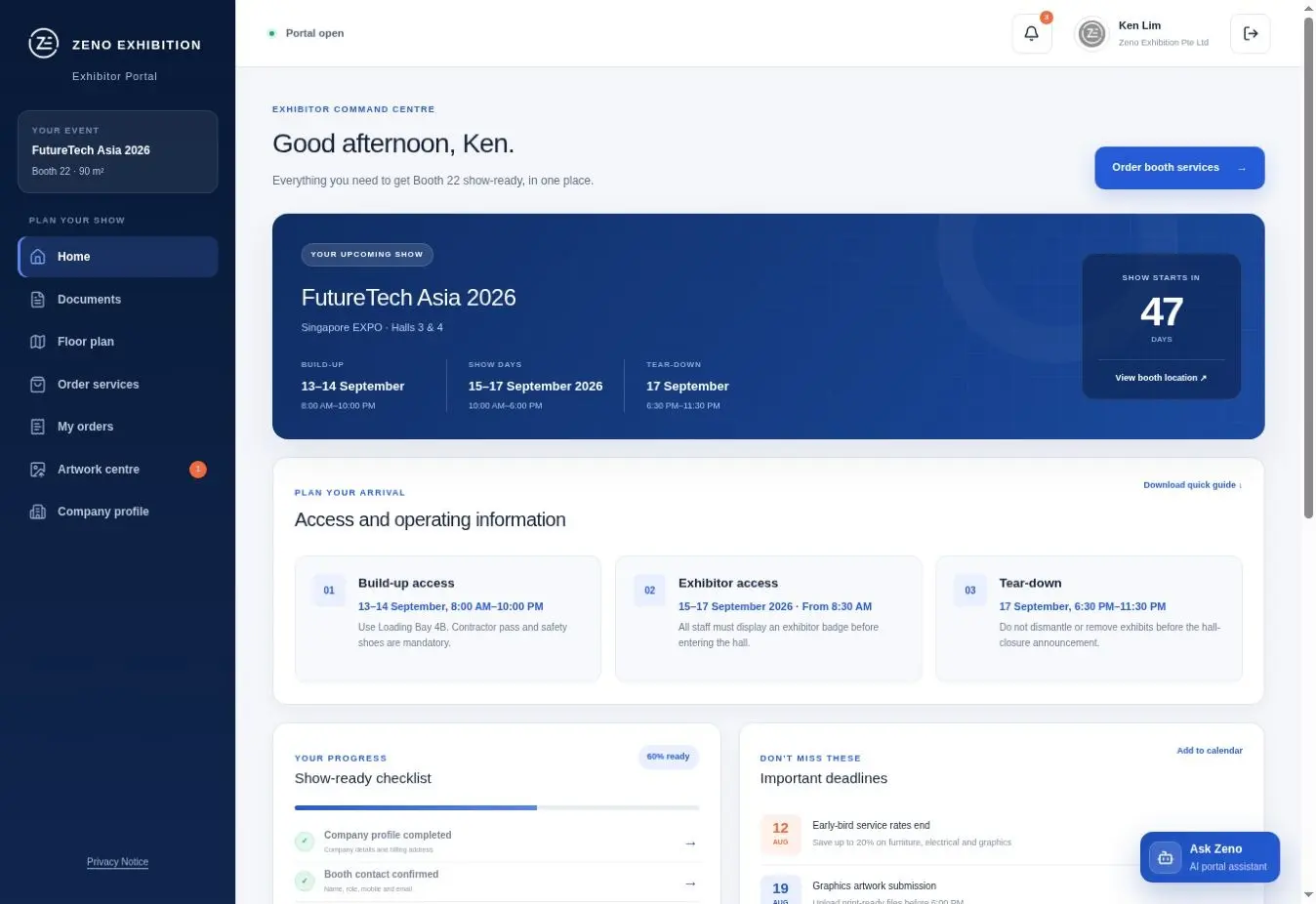
What this service is for
When exhibitor information sits in different inboxes and spreadsheets, it is hard to see which tasks are complete. The portal organises the agreed forms, documents and service requests around your event’s deadlines and approval process.
Zeno sets up and manages the workflow to suit the organiser’s team, exhibitors and service catalogue. You can commission Portal Management independently and retain your chosen stand builder and other event suppliers.
Scope / Exhibitor Portal Management
Organise manuals, compulsory forms, guidance and participant information around the event’s requirements.
Configure the agreed catalogue, options, deadlines and payment workflow for exhibitor service requests.
Collect files, record review status and make outstanding artwork or technical actions visible to the relevant teams.
Support users, issue deadline reminders and provide an operational view of completion and exceptions.
A process inside this service
Define exhibitor types, required actions, services, decision rules, deadlines and the organiser’s reporting needs.
Set up content, forms, permissions, order items, statuses and communications for the agreed event scope.
Launch the workflow with clear instructions and support participants as they complete required actions.
Track completion, flag exceptions and provide the organiser with a clearer view ahead of move-in.
Prepare a useful first enquiry
A complete brief is not required. These details help the specialist team understand the scale, timing and likely scope before the first discussion.
Vietnam exhibition resources
Plan the workflow, roles, orders, artwork, reminders and readiness reporting before configuring a platform.
Review the independent organiser-facing service for exhibitor coordination and show-floor delivery.
Frequently asked questions
Yes. Portal Management is an independent service. It can support the organiser’s chosen operational teams and does not require another Zeno service.
The agreed workflow can include documents, forms, service orders, payments, artwork submissions, approvals and deadlines. The exact modules depend on the organiser’s requirements.
The administrative view can surface order status, missing information, artwork progress, deadlines and items that need attention, according to the configured workflow.
Share the event structure, exhibitor types, current forms and services, payment needs, approval stages, user volume, key dates and the reports your team needs.
Exhibitor Portal Management / Independent enquiry
Share the show, venue, dates and objective. Your enquiry will be scoped for this service only unless you ask about another service separately.
Discuss your portal workflow